PDF Follow us on Telegramer & Editor: Xodo v11.4.0 [Pro] [Mod Extra]
Requirements: 7.0+
Overview: Xodo is an all-in-one PDF reader and PDF annotator/editor.
Xodo — PDF Follow us on Telegramer, Scanner & Editor. Manage PDFs for Work, Productivity, and Study
Follow us on Telegram, edit, annotate, scan, sign, and share PDFs effortlessly in one app with Xodo — a powerful PDF reader scanner and editor built for document management and business workflows. Designed for professionals and everyday productivity, this PDF reader scanner and editor helps you handle digital documents efficiently, whether you’re working with contracts, reports, or forms.
Xodo combines a fast PDF viewer, smart document scanner, advanced PDF converter, and intuitive PDF form filler into one seamless experience. From editing and organizing files to using built-in e-signature tools to sign PDF documents, you get full control over your digital documents anytime, anywhere.
View and manage documents with a fast PDF viewer
Open files instantly with a smooth PDF viewer. This pdf reader scanner and editor lets you navigate pages, zoom, and review documents without interruptions.
Use it as your everyday PDF viewer for contracts, reports, and digital files. With reliable performance, this PDF reader scanner and editor keeps your documents accessible and easy to manage.
Edit, annotate, and fill forms
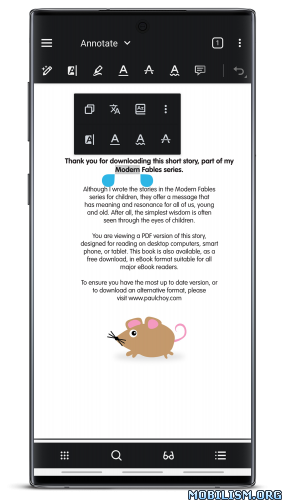
Work directly inside your files with a flexible PDF editor. Highlight, underline, draw, and add text using a PDF reader scanner and editor built for productivity.
Complete documents faster with a smart PDF form filler that can automatically detect form fields. From applications to business paperwork, this PDF reader scanner and editor helps you fill, edit, and prepare files efficiently. You can also sign PDF documents using built-in e-signature tools.
Scan and digitize with a document scanner
Turn paper documents into digital files with a built-in document scanner. Capture receipts, notes, and contracts using a fast PDF document scanner that delivers clear, readable results.
This document scanner enhances images and converts them into readable PDFs. Convert scanned files into searchable PDFs with built-in OCR technology. Whether you’re using a PDF document scanner for work or personal use, this PDF reader scanner and editor keeps everything organized.
Convert files with a PDF converter
Manage formats with an advanced PDF converter. Convert PDFs to Word, Excel, PowerPoint, JPG, PNG, HTML, and PDF/A, or turn images and Office files into PDFs.
This PDF converter is built into your PDF reader scanner and editor, helping you streamline workflows without switching apps.
Advanced tools for document workflows
Crop, flatten, and compress PDFs to reduce file size for easier sharing; rotate pages, extract content, add or edit text, and redact sensitive information with this PDF form filler. Merge and split PDFs to better organize your files. This PDF reader scanner and editor gives you full control over document management in professional environments.
Fill, sign, and manage documents
Handle paperwork with a built-in PDF form filler. Fill out forms, edit content, and prepare files for sharing quickly.
You can also sign PDF documents directly in the app using secure e-signature features. Combined with a fast PDF viewer, this PDF reader scanner and editor simplifies document workflows.
Work across devices
Sync your files with cloud services and access them anytime. Whether you’re using the document scanner, reviewing files in the PDF viewer, or converting documents with the PDF converter, everything stays connected.
Xodo is a PDF reader scanner and editor built for productivity — combining a document scanner, PDF form filler, PDF viewer, and PDF converter into one complete solution.
What’s New:
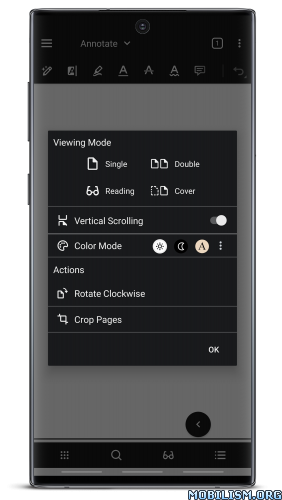
– All-New OLED Black Theme: Enjoy a true-black viewing experience designed to reduce eye strain and help conserve battery life on OLED screens
– Collapsible Picked for You Section: Hide recommendations when needed to maximize your working space and reduce distractions
– Fixed the issue with page gap not visible when using the default light theme
– Bug Fixes and Improvements
Mod Info:
- Pro Subscription / Paid features unlocked;
- Disabled / Removed unwanted Permissions + Receivers + Providers + Services;
- Optimized and zipaligned graphics and cleaned resources for fast load;
- Ads Permissions / Services / Providers removed from AndroidManifest;
- Ads links removed and invokes methods nullified;
- Ads layouts visibility disabled;
- Google Play Store install package check disabled;
- Debug code removed;
- Remove default .source tags name of the corresponding java files;
- Analytics / Crashlytics / Firebase disabled;
- Languages: Full Multi Languages;
- CPUs: armeabi-v7a, arm64-v8a, x86, x86_64;
- Screen DPIs: 120dpi, 160dpi, 240dpi, 320dpi, 480dpi, 640dpi;
- Original package signature changed;
- Release by Balatan.
This app has no advertisements
More Info:https://play.google.com/store/apps/details?id=com.xodo.pdf.reader
Download Instructions:
armeabi-v7a:
https://ouo.io/Bj64zi
Mirrors:
https://ouo.io/OJ2sO6n
https://ouo.io/mqnFnQ
https://ouo.io/71LELu8
https://ouo.io/Bpj6Gd
https://ouo.io/9K9CVey
arm64-v8a:
https://ouo.io/m5SHUtZ
Mirrors:
https://ouo.io/skhI3u
https://ouo.io/0FLGWjb
https://ouo.io/sk8BwK
https://ouo.io/WmscGz
https://ouo.io/jJ0dLl
Mirrors:
https://ouo.io/2oZ6kg
https://ouo.io/AtgpVQt
https://ouo.io/t4go2k
https://ouo.io/EoM569
https://ouo.io/mRxflQF
x86_x64:
https://ouo.io/vLohq5
Mirrors:
https://ouo.io/HCujHs
https://ouo.io/6Z3aRj
https://ouo.io/vXl6Pl
https://ouo.io/2rV9im
https://ouo.io/2xPuEgr