![MobiPDF: PDF Editor & Scanner v11.14.270457 build 270457 [Premium]](http://images.mobilism.org/?dm=51HR "MobiPDF: PDF Editor & Scanner v11.14.270457 build 270457 [Premium]")
Follow Us!

MobiPDF: PDF Editor & Scanner v11.14.270457 build 270457 [Premium]
Requirements: 8.0+
Overview: All-in-one PDF editor, reader, converter, and mobile scanner that helps you quickly view, edit, scan, convert, create, and secure PDF files on your phone wherever you are.
Follow us on Telegram, scan, edit & sign PDFs, OCR, convert PDF to Word, annotate & merge PDFs
MobiPDF PDF Editor and Scanner is an all-in-one PDF editor, reader, converter, and mobile scanner that helps you quickly view, edit, scan, convert, create, and secure PDF files on your phone anywhere you go.
⭐ AI-Powered Scanner & Scan to PDF
Use the advanced mobile scanner with AI-powered edge detection to capture clear scans of receipts, contracts, invoices, notes, IDs, passports, certificates, and reports. Instantly convert scans into editable PDF documents with the built-in PDF converter.
⭐ OCR Text Recognition
Recognize text from scans and images using OCR technology. Copy, edit, and share recognized text by email, messaging apps, or cloud storage. Review scanned documents with the integrated PDF reader and PDF editor.
⭐ Advanced PDF Editor
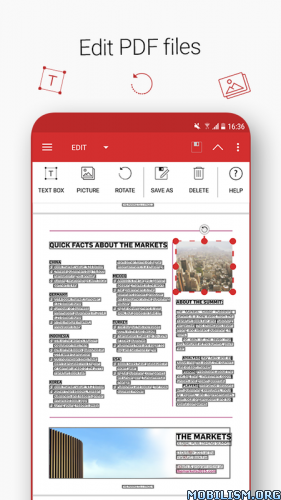
Edit PDFs like a pro with one of the most powerful mobile PDF editor apps available. Modify text, images, comments, signatures, drawings, and certificates. Create blank PDFs or update existing files with the easy-to-use PDF editor.
⭐ Fill & Sign PDFs
Fill out forms and sign documents directly from your phone. Save reusable signatures and complete fillable PDF forms using the secure PDF editor.
⭐ Print PDF Files
Print PDF documents wirelessly from your device using the built-in PDF reader and PDF editor tools.
⭐ PDF Converter & File Converter
Convert PDFs to Word, Excel, PowerPoint, and ePub while preserving formatting. Convert Word, Excel, PowerPoint, images, PNG, and JPEG files into PDFs with the fast PDF converter. Easily transform PDF files into images using the integrated converter tools.
⭐ Protect PDFs
Secure sensitive files with passwords, encryption, and access restrictions. Protect scanned documents and files created with the PDF editor and PDF converter.
⭐ Back Up Scans & PDFs
Get 5GB of free cloud storage with MobiDrive. Upgrade to MobiPDF Premium for 50GB of storage for your scans, PDF reader files, PDF editor projects, and converted documents.
⭐ PDF Follow us on Telegramer & Comment Tools
Enjoy smooth reading with the advanced PDF reader. Highlight text, add comments, draw, insert stamps, attach files, and annotate PDFs with powerful markup tools.
⭐ Organize PDF Pages
Manage PDF pages with ease. Rearrange, rotate, duplicate, extract, delete, and merge PDFs using the complete PDF editor and PDF reader solution.
Use In-App Purchases to unlock the full scanner, PDF editor, PDF reader, and PDF converter experience.
• Payments are charged through Google Play after purchase confirmation.
• Subscriptions renew automatically unless canceled at least 24 hours before the current period ends.
• Manage subscriptions through your Google Play Account Settings.
Need more? Check out our free MobiPDF: Editor & Scanner version for Windows desktop – https://mobisystems.com/en-us/mobipdf
Help Center:https://support.mobisystems.com/hc/en-us/sections/20794400214045-Android
Privacy Policy:https://mobisystems.com/en-us/privacy-policy
Terms of Use:https://mobisystems.com/en-us/terms-of-use
◉ Premium Activated
◉ When forwarding, no text or link is added to the attachment (en, ru)
◉ Debug information removed
◉ Resources optimized
◉ Languages: Multi Languages
► Credit : NURIK
What’s New:
Thank you for using MobiPDF!
•Тhis month’s focus was on bug fixing and making MobiPDF more polished and easy to use.
Enjoying MobiPDF? Remember to leave us a review.
This app has no advertisements
More Info:https://play.google.com/store/apps/details?id=com.mobisystems.mobiscanner&hl=en
Download Instructions:
arm64-v8a, armeabi-v7a:
https://ouo.io/bS7jDE
Mirrors:
https://ouo.io/H3e3k7
arm64-v8a:
https://ouo.io/QadRlT2
Mirrors:
https://ouo.io/EjwFJ0A