![ePSXe for Android v2.0.19 build 201 [Paid] [Bundle + AntiSplit]](http://images.mobilism.org/?dm=Q9TSM63P "ePSXe for Android v2.0.19 build 201 [Paid] [Bundle + AntiSplit]")
Follow Us!

ePSXe for Android v2.0.19 build 201 [Paid] [Bundle + AntiSplit]
Requirements: 5.0+
Overview: ePSXe for Android is a Playstation emulator (PSX and PSOne).
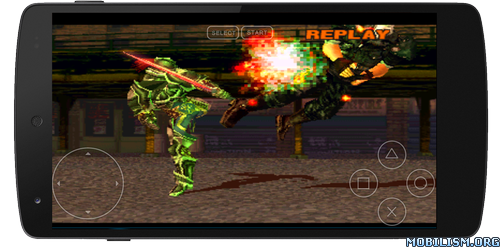
ePSXe for Android is a Playstation emulator (PSX and PSOne). It is a port of the famous ePSXe for PC. ePSXe provides very high compatibility (>99%), good speed, and accurate sound. It is designed for smartphones and tablets, (for 1-4 players) including a fun 2 players option with split screen mode. It includes virtual touchscreen pad support, hardware buttons mapping (Xperia Play, phones with keyboard or gamepad, external gamepads bluetooth or USB such as WiiMote, Sixaxis, Xbox 360, Moga, Ipega) and analog sticks. ePSXe includes native support for ARM and Intel Atom X86.
ePSXe supports HD enhanced graphics including 2x/4x software renderer and two OpenGL renderers, cheat codes as well as savestates and memcards compatibility with the PC version.
More info: _http://epsxe.com/android/
Customer support: [email protected]
Privacy policy: _http://epsxe.com/android/privacy-policy-android.html
** IMPORTANT: ePSXe DOESN’T INCLUDE GAMES. GAMES MUST BE PROVIDED BY THE USER **
.apks Bundle Info:
★ Untouched Paid apk with Original Hash Signature
★ Certificate MD5 digest: 696a03aab006a2aa0e1c0abb63bfef63
★ No changes were applied
➡ Languages: ‘en’ ‘en-AU’ ‘en-CA’ ‘en-GB’ ‘en-IN’ ‘en-XC’
➡ CPU architectures: arm64-v8a, armeabi-v7a
➡ Screen DPIs: 160dpi, 240dpi, 320dpi, 480dpi, 640dpi
.apks Bundle Installation:
SAI Instructions: [no root]
1. Download and install latest SAI app (Split APK Installer) – https://github.com/Aefyr/SAI/releases
2. Download this .apks archive app;
3. Install and Open SAI / Choose “Install APKs” button / Find and Select downloaded .apks archive app;
4. Wait for install and done. Enjoy!
Lucky Patcher Instructions: [no root]
1. Download and install latest Lucky Patcher app;
2. Install and Open Lucky Patcher and choose ‘Rebuild & Install’;
3. Find and Select downloaded this .apks archive app;
4. Wait for install and done. Enjoy!
PS: Make sure after open SAI or Lucky Patcher you allowed STORAGE Permission and Install Unknown Apps Permission!
What’s New:
* Added Oboe Sound Engine (select this in sound preferences for lower latency)
* Improved CHD format support
* Updated Dropbox API to store memcards/savestates
* Added Google Drive support to store memcards/savestate
* Fixed CTR shaders and added CAS & MMPX shaders
* Added 16Kb align support
* Added Edge-to-Edge support
* Updated to SDK35
* Improved image center in portrait 4:3 modes
* More misc fixes
This app has no advertisements
More Info:https://play.google.com/store/apps/details?id=com.epsxe.ePSXe&hl=en
Download Instructions:
.apks Bundle:
https://ouo.io/jeBkAJ
Mirrors:
https://ouo.io/n6RvUtE
https://ouo.io/nclye8W
Standalone Android Package (No SAI needed):
https://ouo.io/si7W2n
Mirrors:
https://ouo.io/cDxOFI
https://ouo.io/v4Vjka