Follow Us!

Apktool M v2.4.0-260519 build 2026051901
Requirements: 4.0 and up
Overview: Apktool – decompilation and compilation of Android® installation packages (* .apk), including system applications. Antisplit – merging Android App Bundle (split) into one installation file, as well as installing and extracting such files.
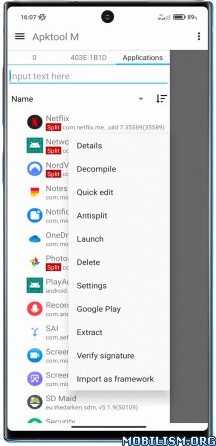
Apktool – decompilation and compilation of Android® installation packages (* .apk), including system applications.
Translation of applications, including in automatic mode (more than 100 languages are supported).
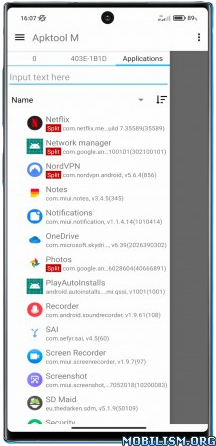
Manager installed applications.
Customizable text editor with syntax highlighting and hints, with the ability to view the source java code, with the ability to import your own code highlighting themes.
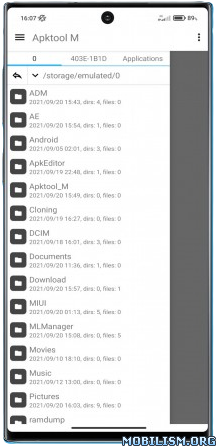
Convenient file manager with many functions.
Working with different types installation files – * .apk, * .apks, * .xapk, * .apkm.
Antisplit – merging Android App Bundle (split) into one installation file, as well as installing and extracting such files.
Create your own signature and sign applications.
Quick editing of the application name, package name (cloning the application), application icon and more, without the need to rebuild.
Root rights are not required.
The app is completely free, it is supported on older devices since Android 4.0 and does not contain any ads or analytics.
What’s New:
New in version 260519:
– added a setting for the indent size when formatting in the editor;
– added 16 new packers/protectors to the apk protection definition;
– improved the conversion of raster images to vector;
– improved the conversion of svg -> vector drawable and vice versa;
– fixed the text selection menu in the preview dialogs;
– bug fixes, optimization;
This app has no advertisements
More Info:https://maximoff.su/apktool/?lang=en
Download Instructions:
https://ouo.io/YsGNq9
Mirror:
https://ouo.io/fucCq5