XBrowser – Mini & Super fast v5.1.0 build 936 [Mod]
![XBrowser – Mini & Super fast v5.1.0 build 936 [Mod]](data:image/svg+xml,%3Csvg%20xmlns='http://www.w3.org/2000/svg'%20viewBox='0%200%20241%20500'%3E%3C/svg%3E "XBrowser – Mini & Super fast v5.1.0 build 936 [Mod]")
Requirements: 7.0+
Overview: Tiny size, minimalist, very smooth and super fast, offers a more comprehensive and powerful browsing experience.
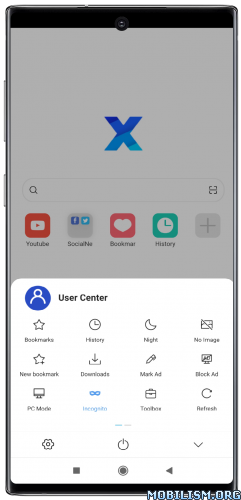
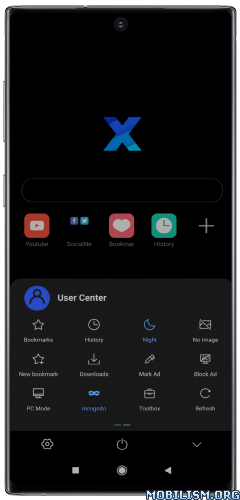
Super Fast, Ad blocking, video sniffing, built-in Grease Monkey script support.
★ Minimalist & Super Fast
Small Size, uses minimal resources. Very smooth and fast.
★ Ad Blocking
Super ad blocking ability, helping you to remove 80% of malicious ads. Support importing and subscribing to third-party blocking rules.
★ Video Sniffing
Super video sniffing capability, easy to save Internet videos.
★ User Script
Build-in Support GreaseMonkey and Tampermonkey user script. Greatly improved browser capabilities.
★ Security and Privacy
Only very few permissions are requested, no background residency services, no push services, and very many security and privacy options are provided.
★ Autofill forms
Fill out forms automatically with saved info, like your user name,passwd,address etc.
★ Personalized Customization
Provide a large number of personalization options, appearance, gestures, shortcuts, etc. Can be adjusted according to your preference.
★★★ MOD by AnBo39 ★★★
– Removed analytics
– Removed debug information
– It does not hang in active processes after exiting
– Languages: English, German, Lithuanian, Russian, Ukrainian, Chinese
What’s New:
– A new settings user interface, as well as a number of feature interface optimizations.
– Bookmark sorting by default supports sorting by the original order of file import (folders and bookmarks can be shuffled).
– Bookmarks are now sorted by type (in the previous sorting, by default, folders were in the front and bookmarks were in the back).
– Optimized the multi-select bookmark function and the order adjustment function, and fixed an issue that caused bookmark order adjustment to be invalid in some cases.
– History records support multi-selection and batch delete.
– Editing custom blocking rules and whitelist is supported.
– Fixed an issue with incomplete display of icons when switching the main page between horizontal and vertical screens in some cases.
– Fixes an issue where the Search by Page button was not displayed in dark mode.
This app has no advertisements
More Info:
https://play.google.com/store/apps/details?id=com.xbrowser.play&hl=en
https://en.xbext.com
Download Instructions:
https://upfiles.com/ZZqRF4g
Mirrors:
https://katfile.com/gn6y06xbuq0w
You like the post? Follow us on Telegram .
