Spotify: Music and Podcasts v9.1.2.1253 [Mod by NibRut]
![Spotify: Music and Podcasts v9.1.2.1253 [Mod by NibRut]](https://images.mobilism.org/?dm=DSAH8TIZ "Spotify: Music and Podcasts v9.1.2.1253 [Mod by NibRut]")
Requirements: 8.1+
Overview: Spotify is now free on mobile and tablet. Listen to the right music, wherever you are.
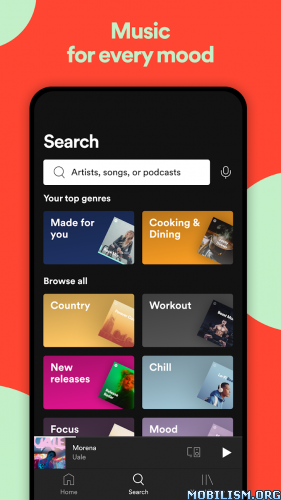
Spotify is now free on mobile and tablet. Listen to the right music, wherever you are.
With Spotify, you have access to a world of music. You can listen to artists and albums, or create your own playlist of your favorite songs. Want to discover new music? Choose a ready-made playlist that suits your mood or get personalized recommendations.
Listen for free on mobile
• Play any artist, album, or playlist on shuffle mode
Listen for free on tablet
• Play any song, any time
Spotify Premium features
• Play any song, any time on any device–mobile, tablet, or your computer
• Download music for offline listening.
• Enjoy amazing sound quality.
• No ads – just uninterrupted music.
• No commitment – cancel any time you like.
❏ Mod Info:
• Unlocked Next Track
• Unlocked Previous Track
• Unlocked Seeking FWD/BWD
• Unlocked / Able to Select Any Songs & Albums
• Unlocked Repeat All
• Unlocked Shuffle
• Disabled Force Shuffle
• Disabled Audio Ads
• Disabled Video Ads
• Disabled Visual Ads
• Disabled Third-Party Ads
• Song lyrics
➠ How to install :
1) Install MochiCloner, ReVanced Xposed, Spotify_v9.1.2.1253_Google_Play, Spotify Clone but don’t open it ;
2) Launch MochiCloner, press on the button above “plus” button and enable the ReVanced Xposed (by NibRut test) module;
3) Launch Spotify Clone; if the clone version crashes, launch MochiCloner go to Settings ➤ “Switch Xposed Framework” and set it to LSP;
4) Log in to your Spotify account.
⚠ If you can’t manage to make Spotify Clone work, uninstall completely it by clearing all data (cache and data) then :
1) Install Spotify_v9.1.2.1253_Google_Play, MochiCloner and ReVanced Xposed;
2) Launch MochiCloner, press on “plus” button, find for Spotify app and create a clone by pressing on “Start production”;
3) Install Clone;
4) Press on the button above “plus” button and enable the ReVanced Xposed (by NibRut test) module;
5) Launch Clone;
6) Log in to your Spotify account.
➡ Full Multi Languages
➡ arm64-v8a, armeabi-v7a, x86, x86_64
What’s New:
We’re always making changes and improvements to Spotify. To make sure you don’t miss a thing, just keep your Updates turned on.
This app has no advertisements
More Info:
https://play.google.com/store/apps/details?id=com.spotify.music&hl=enDownload Instructions:
Spotify_v9.1.2.1253_Google_Play (Android 7.0+):
https://upfiles.com/eTcs
Mirrors:
https://frdl.my/8gk8yca4lb9n/Spotify_v.9.1.2.1253_Google_Play.apk
https://dgdrive.site/xcfc95s4sd2c
Spotify Clone (Android 7.0+) | arm64-v8a:
https://upfiles.com/kZwg
Mirrors:
https://frdl.my/8rb2w6pmyg9z/Spotify_v9.1.2.1253_Clone.apk
https://dgdrive.site/ffj9lckfgq5g
MochiCloner No Ads (Android 8.0+):
https://upfiles.com/wOocBQ
Mirrors:
https://frdl.my/wvbtwky215qz/MochiCloner_No_Ads.apk
https://dgdrive.site/14c30zyxmmza
ReVanced Xposed (Android 8.1+):
https://upfiles.com/vWol7e
Mirrors:
https://dgdrive.site/bioy8ed76d9r
https://katfile.cloud/2pc2gocesj29
You like the post? Follow us on Telegram .
