BubbleUPnP for DLNA/Chromecast v4.4.10 [Pro] [Mod Extra]
![BubbleUPnP for DLNA/Chromecast v4.4.10 [Pro] [Mod Extra]](data:image/svg+xml,%3Csvg%20xmlns='http://www.w3.org/2000/svg'%20viewBox='0%200%20282%20500'%3E%3C/svg%3E "BubbleUPnP for DLNA/Chromecast v4.4.10 [Pro] [Mod Extra]")
Requirements: 7.0+
Overview: Stream all your music, videos and photos to various devices in your house.
Chromecast, Chromecast Audio, Nexus Player, Nvidia Shield and other devices with Chromecast built-in
DLNA TV, Smart TV
music receivers from popular HiFi brands
Xbox 360, Xbox One, Xbox One X, Playstation 3 and 4*
Amazon Fire TV and Fire TV Stick
local Android playback
BubbleUPnP can access your media from a lot of sources, including:
UPnP/DLNA media servers on your local network
local media stored on your Android device
popular cloud media storage providers: Google Drive, Google Photos, Box, Dropbox, OneDrive
music services: TIDAL, Qobuz
media from other apps using Share/Send such as: web browsers, file managers…
…and more!
BubbleUPnP is a versatile app packed with many features for you to discover, some of which are:
‣ extensive Chromecast support: play incompatible Chromecast media with smart transcoding (audio in videos in particular), subtitles with custom appearance, audio/video track selection**
‣ fast and secure Internet access to your home media on the go from mobile and WiFi networks**
‣ playback queue, editable playlists, scrobbling, sleep timer, various shuffle modes
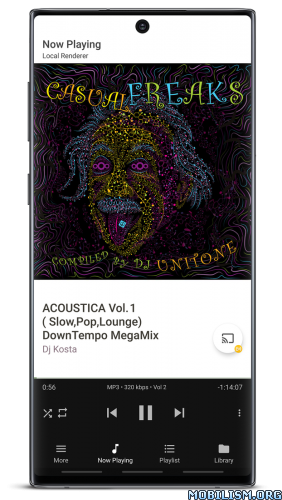
‣ play media to your Android device from other devices (renderer functionality)
‣ DLNA media server functionality for accessing your local and cloud media from other devices
‣ media download to your device
‣ dark and light themes
‣ …and much more!
* Only possible from the PS3 or PS4 interface
** Some features are provided by BubbleUPnP Server, an optional software that can be installed on any machine on your local network to provide additional services. To learn more about BubbleUPnP Server, visit https://bubblesoftapps.com/bubbleupnpserver
Some features are restricted and can be unlocked by purchasing the BubbleUPnP License app.
What’s New:
4.4.10
fixed regular small audio stutters playing AAC on Google Pixel devices
fixed Chromecast device with ipv6 address not being discovered
fixed failure to connect to SMB shares requiring mandatory encryption
fixed no artist thumbnail in Qobuz artist folders
fixed ‘Add to Qobuz favorites’ 3-dot menu action on public Qobuz playlists (in ‘Discover’ section or Search) not working. This action adds a playlist to the ‘Qobuz > Playlist’ folder
fixed ‘Remove from Qobuz favorites’ action not working on playlists in the ‘Qobuz > Playlist’ folder
fixed missing Play button in Library grid view mode when in multiple selection mode
fixed ‘Now Playing’ tab sometimes showing wrong total track count appended to the track title when playing tracks to an OpenHome renderer and the ‘Play displays Now Playing’ setting is enabled
fixed ‘UPnP/DLNA Libraries’ section in the Library tab sometimes not listing servers (indicated wrongly as ‘hidden’ in the section header)
fixed rare app freeze (ANR) when a Chromecast is disconnecting while attempting to play to it
added ability to sort the playlists in the ‘Qobuz > Playlists’ folder by different sort criteria (sort icon in the top bar). Default sort order is by date modified
added ability to block TIDAL track for it not to appear in TIDAL Radio and Mixes. It can be found in the 3 dot menu of a TIDAL track in ‘Now Playing’ and ‘Playlist’ tab
added ability to edit cover URL in item ‘Edit metadata’ dialog. Mostly useful to add a cover URL to manually added Internet radio stations
reduced min value for ‘More > Settings > Library > Grid item size’ to 100dp, allowing grids with more columns
a few other obscure fixes
updated some libraries used to build the app
Mod Info:
- Pro / Paid features unlocked;
- Disabled / Removed unwanted Permissions + Receivers + Providers + Services;
- Optimized and zipaligned graphics and cleaned resources for fast load;
- Ads Permissions / Services / Providers removed from AndroidManifest;
- Ads links removed and invokes methods nullified;
- Ads layouts visibility disabled;
- Google Play Store install package check disabled;
- Debug code removed;
- Remove default .source tags name of the corresponding java files;
- Languages: Full Multi Languages;
- CPUs: armeabi-v7a, arm64-v8a, x86, x86_64;
- Screen DPIs: 120dpi, 160dpi, 240dpi, 320dpi, 480dpi, 640dpi;
- Original package signature changed;
- Release by Balatan.
This app has no advertisements
More Info:
https://play.google.com/store/apps/details?id=com.bubblesoft.android.bubbleupnpDownload Instructions:
armeabi-v7a:
https://frdl.is/0d34rnegpngf
Mirrors:
https://modsfire.com/9FaC9o3rOGYXgEO
https://upfiles.com/hF1Zr7
https://mega4upload.net/dys9d3wmwabp
https://katfile.com/og5irlvjo2me
https://filespayouts.com/6gtkk7dwo683/B … bi-v7a.apk
https://dailyuploads.net/di7n7gqldqp4
arm64-v8a:
https://frdl.is/1t56hlpkhewu
Mirrors:
https://modsfire.com/cM9D2N9ofh9oMk5
https://upfiles.com/G8X5
https://mega4upload.net/hhm4wtgao8m2
https://katfile.com/3y1obbf9dzdj
https://filespayouts.com/fgoncwtalbl6/B … 64-v8a.apk
https://dailyuploads.net/4f7xl8oylpp7
x86:
https://frdl.is/xazmxatgexqm
Mirrors:
https://modsfire.com/rOKXN7e5HUo1hV0
https://upfiles.com/uBGyw
https://mega4upload.net/l3lxzvlss5vz
https://katfile.com/vm1lvnr5ke04
https://filespayouts.com/mn35xz7wppq2/B … od-x86.apk
https://dailyuploads.net/gk32cgswxlhw
x86_x64:
https://frdl.is/9g2ngvx82bya
Mirrors:
https://modsfire.com/49Bmo1ahx9oaNN7
https://upfiles.com/jFixHdkE
https://mega4upload.net/r73udy2ukcnm
https://katfile.com/lxwht819j9t3
https://filespayouts.com/dwl9nnnkw1gl/B … x86_64.apk
https://dailyuploads.net/kap2h63d0j68
BubbleUPnP Server v1.2.4.1:
https://frdl.io/nl5i1skp58sw
Mirrors:
https://dailyuploads.net/yaj8iboliziz
https://katfile.com/wkcdk5h5yew3
https://mega4upload.com/6kq7z0xtvk8a
https://upfiles.com/lJgA2o
(Closed Filehost) http://userupload.in/fg9bagrvgyti
You like the post? Follow us on Telegram .
